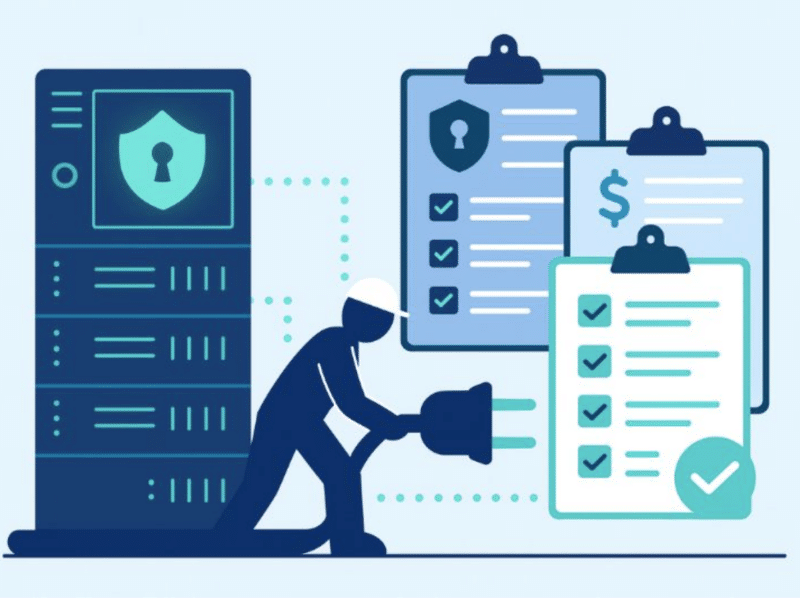
More than half of data center operators say their major outages cost over $100,000. For a second year in a row, 20% of them reported over $1 million in losses, according to Uptime Institute’s 2026 outage analysis. These losses are why a data center migration strategy deserves careful thought.
How the migration should happen and how to work out all the details of the move are two different decisions. The schedule and resources for the project depend on the strategy used. The strategy could be phased migration, a full cutover, a movement based on individual workloads, or a parallel run.
Which strategy is practical depends on the systems involved, their dependencies, available staff, acceptable downtime, and how the facility is being changed. The data center migration plan comes after choosing a strategy. This article covers that first choice.
Key Takeaways
- The core data center migration strategies include full cutover, phased migration, workload-by-workload, and parallel running. Which strategy is right depends on the timeline and disruption the business can handle.
- Decide what to move while choosing the strategy. Which equipment to retire, redeploy or relocate belongs in the strategy from day one.
What a data center migration strategy decides
A strategy for data center migration refers to how you move workloads and equipment from the old environment to a new one. It specifies conditions for the move and the order for efficient transitioning of different parts of the environment.
After choosing the migration strategy, the team can build the detailed project plan for that approach. The data center migration plan includes what to do to prepare the environment and how to carry it out. It should also include the timing and order of each activity.
The strategy is hard to change once project work for migration begins. Work should only start after careful planning, or it has to be repeated if the team needs to move from a phased approach to a full cutover or vice versa. The decision to change can affect capital expenditures and any existing contract, and it causes more downtime, which also affects customers and business operations during the data center migration project.
The main data center migration strategies
Data center migrations use four broad approaches, and large environments can use different approaches for different workloads.
Full cutover migration

A full cutover is also called a big bang migration. It moves the whole environment in a single event. The team prepares for the migration journey before the cutover window, and the systems are switched over during a defined period.
The main advantage of a full cutover is speed. Another advantage is that there is no need to keep two environments running for an extended period, as the organization gets to the new environment in a single event.
But the risk is concentrated in the cutover window, and there is no time to pause the migration and investigate the problem. If a problem arises during the move, it could affect the whole environment.
Best for: A full cutover could work for a small branch data center or a simple application stack that doesn’t have a lot of external dependencies. In cases like these, you can move the equipment and complete validation within a weekend. In environments where interdependent systems need to be moved together, it is harder to stop the work if a problem arises.
Phased migration
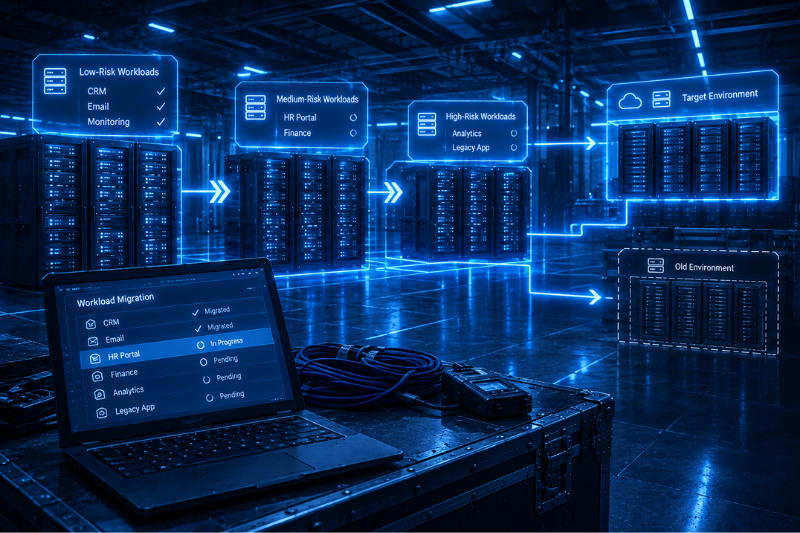
A phased migration moves the environment in planned waves and can run across months. In this approach, applications, business units, and physical areas can all move in separate waves.
Every phase of a phased migration gives time for testing and supports a successful data center migration. The team can solve any problems found in a phase of the project before moving to the next workload.
This strategy takes a longer time to complete, and both environments must remain operational for part of the data migration. The network infrastructure and connections between the two environments also need to work during the transition. If a retailer consolidates multiple on-premises data centers into a colocation facility, they could move one region at a time. You can check the performance and failover after every move and before moving to the next region.
Best for: Phased migration works for projects where the business needs to limit the migration scope and has enough time for a long transition.
Workload-by-workload migration
A workload-by-workload migration moves individual applications and systems when they become ready. There are no fixed waves covering the whole environment like in phased migration.
In this strategy, low-risk workloads move first, and complex systems move after their dependencies have been resolved. It gives the team more control in the individual moves. A small number of difficult workloads can delay the final shutdown of the old data center, so it takes longer as well.
Best for: Workload-by-workload migration works for environments that have independent applications and limited shared dependencies. A company that is handling dozens of client-specific systems could use this approach to move applications at different points in the project. If there is a hard deadline, it creates more pressure, as every workload must be ready for migration before the old facility closes.
Parallel run migration
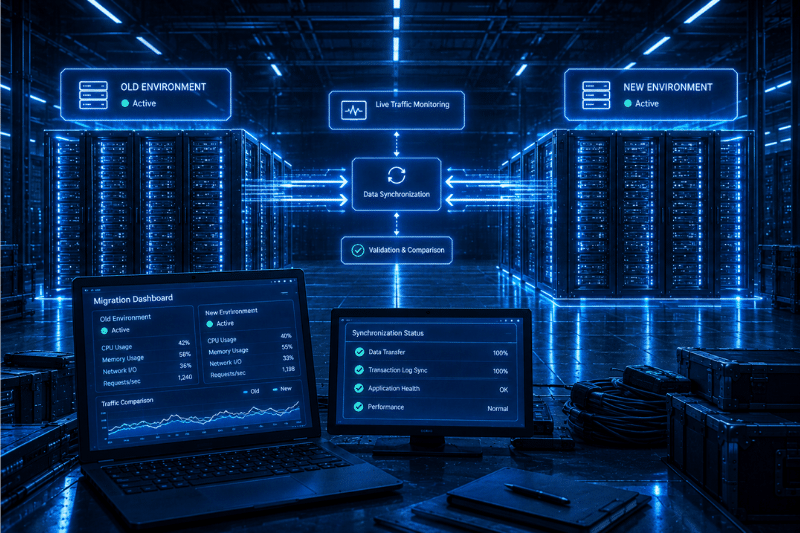
In a parallel run, the old and new environments remain live at the same time. The organization keeps data synchronized and compares results from both environments before switching users to the new one.
As both environments run simultaneously, the team has a fallback during the migration. Any problem found in the new environment does not require the old system to be shut down and reduces the risk of data loss.
It costs more, as both environments remain active. Keeping the data synchronized also adds technical work during the parallel period.
Best for: Financial service providers and healthcare organizations may use parallel run migration for systems where evidence of successful operation is needed before the old data center environment switches off. The additional cost may not justify using this strategy for lower-risk systems where a shorter migration window is acceptable.
Comparing the strategies
The table below compares the four data center migration strategies side by side.
| Strategy | Downtime | Overall timeline | Risk concentration | Best fit |
|---|---|---|---|---|
| Full cutover | High, concentrated in one window | Shortest | Highest, single event | Smaller environments with few dependencies |
| Phased | Low per phase | Medium to long | Spread across key phases | Larger environments with moderate dependencies |
| Workload-by-workload | Low per workload | Longest | Lowest per move | Loosely coupled systems with no hard deadline |
| Parallel run | Low, with fallback available | Medium to long | Low, but costly | Mission-critical or regulated systems |
The factors that drive the decision
Consider these factors carefully, as they all affect which strategy works best:
Downtime and business continuity
The first factor is which strategy to use to minimize downtime and maintain business continuity. An organization that can accept a planned weekend outage can use a full cutover. Customer-facing systems or contractual uptime commitments may rule out a single large outage window.
TSB’s 2018 migration shows the risks of a large cutover. The bank migrated 5.2 million customers and 1.3 billion records over a weekend, but technical problems disrupted banking services for months. TSB did not return to business as usual until December 10 and was later fined £48.65 million by the FCA and PRA.
Workload dependencies and migration complexity
It is hard to split tightly coupled systems across migration phases. If one application needs another application to be available, it would be better to choose a full cutover or carefully sequenced phases. A full cutover keeps those systems together and concentrates the risk in one window, so it needs a tested rollback plan. Legacy systems may also have compatibility issues with the new environment.
Since independent workloads have fewer sequencing constraints, a rolling migration based on individual workloads works well in that environment.
Physical infrastructure age
Conventional servers used to be kept in production for 5-7 years some time ago. But as Resource Recycling reported, GPU-based systems are now increasingly being replaced within 18 to 36 months.
It may no longer be worth the effort to move equipment that is approaching the end of useful life. Retiring that hardware could reduce the amount of equipment to be transferred.
Dependency mapping
Postmortems from delayed or over-budget migrations point to incomplete dependency information as a recurring issue. If the team maps that relationship before choosing a strategy, they have a clear picture of what needs to be moved together before settling on the data center migration strategy.
The migration strategy also depends on four practical considerations:
- Risk tolerance: How much risk the organization is prepared to take for a successful migration.
- Cost structure: In parallel runs and long phased projects, the cost is high as two environments are operating together.
- Team capacity: Phased and workload-based migrations need coordination for longer periods.
- Fixed deadlines: Lease expirations and contract end dates make it hard to complete long migrations before the deadline.
Rockwell’s data center relocation shows how cost and equipment handling can complicate a migration, according to PMI’s case study. The project was $660,000 over budget at the start, but selling or transferring extra equipment reduced the overrun to $320,000 later. 38 tapes were also missing from the thousands of tapes shipped between sites during the move.
Deciding what happens to existing equipment
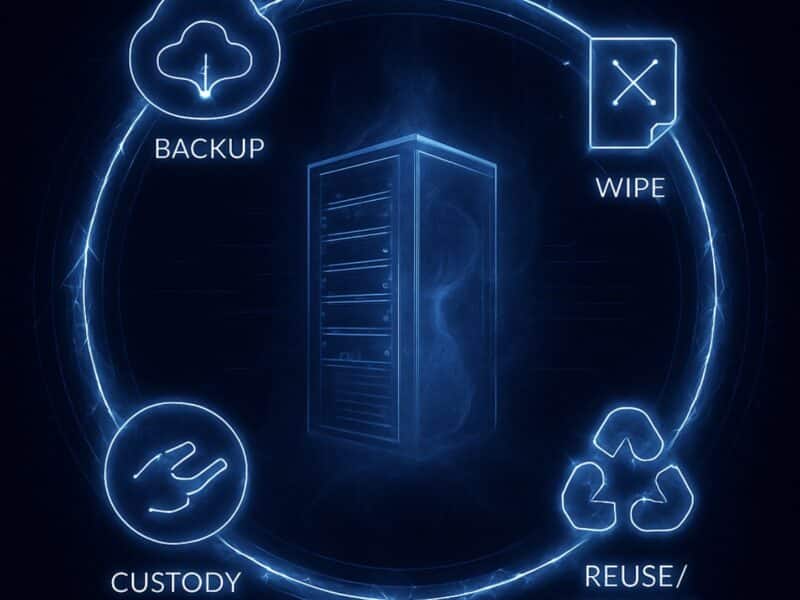
Every asset should have both a disposition decision and migration strategy. While some of the equipment will transfer to a new environment, some may be transferred back into service at another point in the organization, and others may be at the end of their useful life.
Making these decisions early in the migration process shifts the boundaries of the migration project. Fewer assets need to be moved for an environment that has aging hardware waiting to be retired and the migration timeline is much shorter.
Another option is to retain. Retaining workloads means keeping certain legacy systems operational in place because they are too difficult or costly to move.
Equipment that is not being migrated needs its own workstream.
- Prioritize the secure handling of the data-bearing assets.
- Perform testing to confirm the condition of the equipment with residual value.
- The last part is either resale or recycling depending on the final disposition.
How to validate a data center migration strategy before committing
Validating a migration strategy is a crucial step before a larger-scale migration for any organization. Testing the assumptions on a small subset gives the team useful feedback before a migration. The team should establish baselines to check performance metrics after migration.
Application owners need to review the dependency map and stakeholder communication with the IT infrastructure team. Undocumented connections can accumulate over time, and people responsible for running an application may know about dependencies that never made it into the formal documentation. Regular updates also help turn resistance into stakeholder buy-in.
You need an explicit go or no-go gate upstream of your first migration event. This should also be accompanied by rollback criteria upfront, as it gives the team a written record for stopping the move if an issue hits the mutually agreed-upon threshold. Backup and recovery plans must ensure data integrity and minimize data loss.
Someone with clear authority must make this go/no-go decision. A designated decision-maker removes confusion by giving the migration team a clear point of contact for problems during the cutover.
Common mistakes when choosing a migration strategy
Several common mistakes in choosing a data center migration strategy can affect the whole project.
- Building the strategy around a calendar deadline before identifying cross-workload dependencies.
- Applying the same migration approach on different workloads with different requirements.
- Missing a dependency that crosses a planned phase boundary and leaving a system dependent on equipment that has not been moved.
- Treating hardware disposition as a cleanup task after migration instead of considering it during strategy selection.
- Starting a migration with no backup systems and defined rollback conditions.
- Measuring success by the completion date and not checking how dependent systems work after the move.
What comes next after choosing a strategy
The right data center migration strategy will depend on how much downtime the organization can handle and how tightly the workloads depend on each other. The correct strategy should also align with the organization’s business goals. You also need to figure out how much of the environment is good for migrating and how much should be retired.
After choosing the strategy, the team decides on execution planning, inventory, sequencing, and cutover readiness when making the detailed project plan.
Reconext’s data center decommissioning process handles the equipment that will not make the move. It includes secure data destruction, followed by resale, refurbishment or recycling of whatever stays behind.
Frequently Asked Questions
Can a data center migration be done with zero downtime?
Close to it. You can run the old and new environments in parallel and push over workloads one at a time, which helps to keep downtime to a minimum.
Does the size of a data center change which migration strategy works best?
Not necessarily, as even a tiny data center can be relatively hard to move if numerous systems depend on each other. If workloads are relatively independent, a much larger setup can be simpler.
What happens to network connectivity during a data center migration?
Temporary connectivity between old and new data centers is needed with appropriate network configurations. Some will be running in the old facility, some will have already moved, and a means to communicate is required.
Can virtualization reduce the risk of a data center migration?
Yes. Unlike a physical server, a virtual machine can be copied or transferred to the new environment because it isn’t tied to a server. It eliminates some hardware-level work during the migration.