Most data center migrations fail in execution, not in planning. The project gets approved, the schedule holds, the budget is set, and the problems start when the work begins affecting live systems.
That is when minimizing downtime starts competing with following the agreed sequence. Decisions get compressed: whether an undocumented dependency matters, whether a validation failure justifies a rollback, whether the destination is ready for the next batch. Each one gets made faster and with less information than the planning phase assumed.
These ten stages cover what to establish before anything moves, how to sequence the move itself, and what happens to the equipment that stays behind.
Key Takeaways
- Migrations fail in execution, not planning. The failure points are undocumented dependencies, undefined rollback criteria, and a destination assumed ready before it is.
- Build two inventories: physical assets, and the applications running on them. Every application needs a named owner.
- Application and network teams review the dependency map together. Neither view establishes the full path alone.
- Rollback triggers are set during planning, and one named person owns the call to stop.
- Systems coming back online is not validation. Confirm data against the source and let the application owner sign off.
- Hypercare runs one to two weeks to catch month-end dependencies a weekend cutover cannot surface.
Map the data center environment before anything moves

The first three stages establish what is in the environment, how it fits together, and what is likely to go wrong. All three happen before any equipment moves.
Uptime Institute’s 2025 survey shows the cost of overlooking the work in these stages. The survey found that 57% of major data center outages cost more than $100,000, and one in five topped $1 million, which is what this phase catches early.
Build a joint asset and application inventory
A migration plan needs two separate asset inventories: every physical asset in the current data center infrastructure, and every application or workload running on it. One server can host several applications, each with different owners and different tolerance for downtime.
Each application needs a named owner who can confirm what it does and which team relies on it. Infrastructure teams don’t usually have that context, so relying on existing documentation causes problems in later stages.
An application without a named owner can show up halfway through the migration. By then, there may not be enough time to figure out how to handle them.
Map Application and Network Dependencies Together
Dependency mapping records what relies on what: applications, databases, authentication services, network infrastructure, scheduled jobs, and license servers.
The dependencies that break migrations are the ones no document captures. A hardcoded IP address inside a script. A batch job that only runs at month end. A network configuration still pointing at a system retired years ago that nothing has needed since.
The dependency map requires joint review by the application and network teams. Each team holds visibility into a different portion of the environment, and gaps surface only when both are examined in the same session. An application owner may know that a workload fails without a license check, while the network team knows which subnet hosts that license server. Neither view establishes the full dependency path independently.
Turn risk assessment into a working risk register
A risk assessment should produce a risk register. Each entry should have these four things: an owner, an impact estimate, a mitigation, and the resources needed to reduce risk before cutover.
A pre-staged failover path provides the mitigation, while a logged failover test provides evidence that it works. Without assigned owners, risks can keep coming back during cutover, and there may be no choice but to improvise.
Uptime Institute’s 2025 outage analysis found that nearly 40% of organizations had experienced a major outage caused by human error in the previous three years. 85% of those incidents were linked to staff failing to follow procedures or to problems with the procedures themselves.
Decide how and where equipment will move

The inventory and risk register establish what exists and what can go wrong. The next three stages determine where the equipment goes, in what order, and what happens if the move has to stop.
Confirm the new data center environment is ready
First confirm that the new data center can support the workloads before the equipment starts moving. It includes checking power and cooling capacity, rack space, network infrastructure, security controls, and finalizing the IP and VLAN scheme.
Treating an under-construction site as a ready site can create problems later. Network teams should confirm that the site is ready before each batch of migration. If we find out the destination cannot support the incoming equipment once it’s already there, delays are more expensive.
Sequence the move around dependencies
Use the dependency map to decide what moves first. The migration method should fit the workload. A lift-and-shift approach can move a workload without changing its architecture, while more complex systems require a different method.
A database may need to move with the application that uses it because that application also depends on an authentication service. An unrelated file server may follow a separate migration schedule. Moving equipment for convenience could leave an application pointing to hardware that has been moved.
Plan backups and rollback before cutover
Backup and rollback planning answers two questions: what gets backed up before the move, and what conditions send the team back to the old environment. The second is the one teams defer, and it has to be settled before the window opens rather than during it. The pre-cutover check covers a completed backup, a tested restore, and rollback staff and capacity held for the full window.
The disaster recovery plan should be reviewed as part of the same preparation. If the move fails, the team needs a tested way to recover lost data.
There must be a backup that has been restore-tested. A checksum comparison should be used against the source data to confirm it works. Rollback triggers should also be specific enough that the cutover team does not have to decide what they mean in the middle of the move.
Run the cutover and confirm it worked

The final four stages cover the move and the verification that follows, because restoring systems to an online state does not establish that the migration succeeded. An application can respond normally while carrying incomplete data, and a month-end dependency will not surface during a weekend cutover.
Rehearse the move before you run it
Pre-cutover testing means running the full migration sequence, not testing its components in isolation. A staging setup that closely matches production gives the team a chance to test the data center migration tools before the move. The setup also lets you check monitoring tools and network configurations, which are easy to overlook.
Testing and grading establish the condition of equipment that will not be moved to the new environment. Skipping the rehearsal because the deadline is tight makes the cutover the first full test of the sequence.
Give cutover a runbook and one decision-maker
Cutover follows a documented runbook that states what happens at each step, how long it should take, and where the team stops to verify before continuing.
One accountable person should own the decision. When the decision belongs to a group, people can hesitate to stop the move. Nobody wants to be the person who calls it off which leads to pushing ahead when rolling back would be safer.
Stakeholder communication should be agreed upon before the move. Everyone involved should know when systems will be unavailable and where updates will come from.
Validate function and data
Perform checks to confirm the application functions and that the data is intact. Performance is measured against what the business owner expects from critical systems. A server can respond normally even with a data problem in its application.
Completing migration in manageable segments reduces risk and makes validation easier when large volumes of data are involved.
Approval does not rest with the migration team alone. Functional issues in an application they do not use daily are easy to miss, which is why final sign-off belongs to the application or business owner.
Monitor Systems During Post-Migration Checks
Post-migration checks include a defined period of heightened monitoring, known as hypercare, lasting one to two weeks. Hypercare gives the team time to catch problems linked to weekly jobs or month-end processes that appear later.
The team gets a final monitoring window to confirm that the new environment is stable enough to retire old systems. Post-migration checks provide time to decide how to handle equipment left behind.
Decommissioning begins only after the migrated systems pass validation and the new environment proves stable.
Decide what happens to equipment that doesn’t move

The plan should account for the fact that not all assets from the original inventory make the move. Decide a clear path for equipment reaching end of life and hardware incompatible with the new environment.
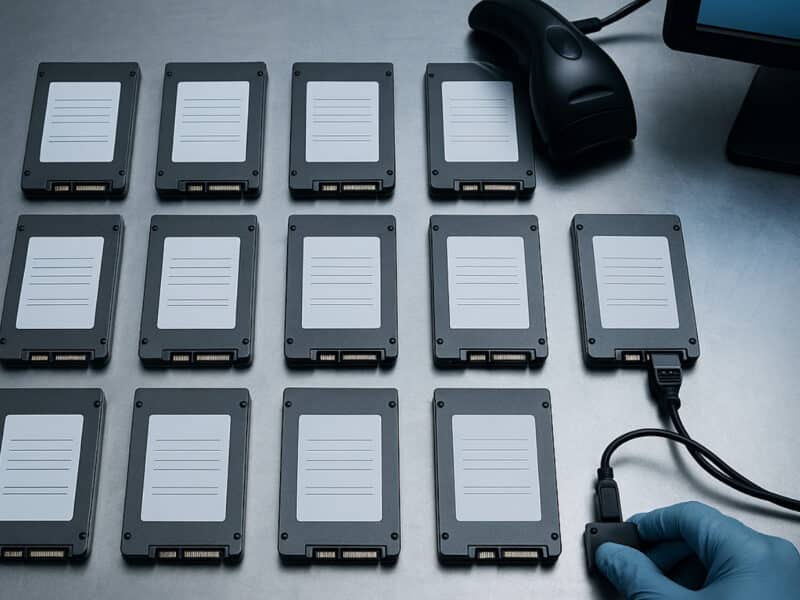
AI infrastructure buildouts result in more consolidation work in enterprises. A recent large-scale data center decommissioning project involving 2,500 AI servers and more than 17,000 loose drives shows why you need to plan disposition along with migration and tracking.
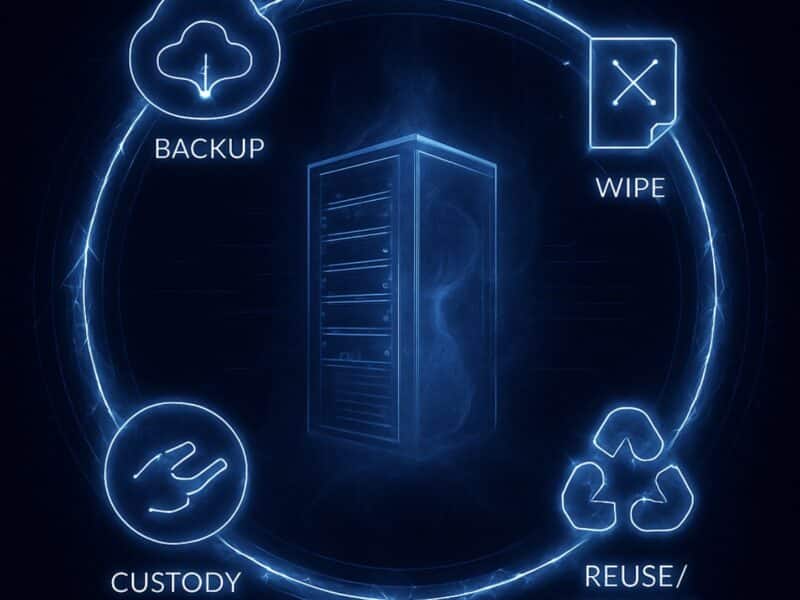
Secure data handling and asset reconciliation give the team a record of what happened to each retired asset. Every item can be matched back to the original. The processes built around testing and secure erasure identify the hardware that has been tested and is still working, so you can recover its resale value.
From there, the equipment can follow the appropriate path:
- Redeployment in the organization
- Resale or refurbishment for equipment with value
- Certified recycling for end-of-life equipment
Handling this during the migration also reduces the chance of retired equipment being left behind and losing track as the facility is shut down.
What a Successful Data Center Migration Delivers
A completed migration leaves evidence rather than assurances. Systems returned within their expected windows, applications passed functional checks, and data integrity was confirmed against the source.
The same standard applies to equipment that stayed behind. Every retired asset has a documented outcome and a record tracing it from the original inventory to its final disposition. A move can meet every technical objective and still leave the project unfinished if hardware remains unaccounted for in a facility that is closing.
Finish the Migration Plan Properly
Migration strategy decides where the workloads go. The project plan decides the order they move in, who owns each decision, and what stops the move. Migrations fail in the distance between the two. Deadline pressure closes that gap by cutting the work that produces no visible output: dependency review, rollback criteria, the rehearsal. Each one exists to surface problems while they are still cheap to fix.
Building all ten stages into the plan gives the team a clear sequence to follow and defines what happens to equipment that stays behind. Reconext’s data center ITAD services cover secure data handling and asset reconciliation, helping the team track retired equipment through its final disposition.
Frequently asked questions
How long does a typical data center migration project take?
Timelines are very different for different scopes. A mid-sized migration takes three to six months from planning to the hypercare period.
Who should own the migration project plan, IT operations or a dedicated project team?
A dedicated project owner coordinates the plan and keeps the teams aligned. IT operations contributes the environment knowledge the plan depends on without carrying the migration alongside its existing workload.
How do you decide whether to roll back a cutover or push through an issue?
Define the rollback triggers during planning and document the conditions that require a rollback. The cutover team then has a clear basis for stopping the move if those conditions occur.
Should the existing data center stay live in parallel during migration, and for how long?
Keeping the existing environment live is necessary until the new environment has passed validation and remained stable. The migration budget should account for the cost of running both environments during this period.