Human error was responsible for major outages at nearly 40% of organizations over a three-year period. Uptime Institute’s 2025 outage analysis found that in 85% of those incidents, the staff failed to follow procedures or procedures were wrong from the start.
A data center migration introduces all these problems for an IT team. They are working with a deadline and dealing with an unknown setup while trying to keep services running as equipment and workload move.
In this piece, we discuss best practices for different stages of data center migration, so teams can manage challenges when it’s time to shut down the old site, for any migration strategy they use.
Key Takeaways
- Retire idle hardware before the move to reduce transport costs and the number of systems that need testing.
- Test each migration phase against agreed performance baselines and rollback criteria before retiring the previous environment.
- Complete the migration only after the retired equipment has been sanitized and every asset has a documented outcome.
Data center migration plan: Scope and preparation

Some of the biggest risk and cost reductions in IT infrastructure migration happen before any equipment is moved. Here are best practices for deciding what equipment to move, how much to move, what the contracts allow, and what it will cost to run two sites in parallel during the move.
Build a complete inventory before the move
The first thing is to figure out which systems need to move, as every asset removed from migration scope is one less item to pack, ship, reinstall, and validate.
Check usage data across at least one full business cycle to find servers with low processing or network activity that could be retired as part of data center consolidation. Application owners have to approve every one of them, as some servers could only run during the year-end close, and the approval has to be recorded under their name.
Undocumented application dependencies can complicate the move. Check which systems rely on every server before removing it from the migration scope.
Size workloads and review stored data
Flexera’s 2026 State of the Cloud Services report estimates that 29% of infrastructure and platform cloud spend is wasted, reversing a five-year decline. If you move oversized workloads from existing data centers to a new data center, the cost waste gets carried into the new setup.
Check the demand and review stored data, then decide how much capacity every workload needs for effective resource allocation. Closed-project shares and expired backup sets could be archived or deleted under the retention policy, so less data needs to be transferred to the new data center.
Check contracts and licenses
Check the hardware support agreements for relocation terms, as coverage could be linked to the installation address. Some software licenses are tied to hardware and processor counts or data center location, so ask vendors if the move changes your entitlement.
Confirm the lease or colocation exit notice period before you plan for a smooth transition. Then notify disaster recovery providers, managed service providers, carriers, and auditors about changes to the old site’s addresses or contracts.
Budget for the overlap period
The old and new data centers run in parallel for some time, and both have power, space, licensing, and support costs. Calculate the expected cost and set an end date based on the retirement gate.
Add a contingency reserve to the budget for delays so a slip-up won’t force you to make budget cuts in other places.
Data center migration checklist: ownership and timing

A detailed migration plan needs to have one clear owner and measurable targets before moving dates are planned, and the schedule has to be agreed upon by the IT and the business teams.
Name one accountable owner
Infrastructure, security, facilities, networking, and application teams all have their own data center migration checklists. Choose one owner who has authority across all of them and the power to stop work if a check was missed.
If you map application dependencies before every move, the team can identify upstream and downstream systems that could be affected by an outage.
Every change in the data center migration project should go through one approval process, so keep a single controlled copy of each runbook. Uptime Institute’s 2026 analysis found that failure to follow established procedures is the leading driver of human-error outages.
Set success measures and baselines
Before you start migration, agree in writing on acceptable downtime, recovery time, recovery point objectives, and response-time targets. Record performance baselines like latency, throughput, storage, and power draw for the existing data center infrastructure.
Set rollback conditions and document how to restore the previous environment if a critical failure happens during cutover.
Test and validate each migration phase
Test the migration sequence before the scheduled cutover, including application dependencies, data integrity, and rollback procedures. During the move, validate each migrated workload against its original performance baseline and confirm that business-critical applications are functioning as expected. Have application owners approve the results before proceeding to the next migration phase. Keep the original environment available until the agreed validation and recovery period has ended.
Plan migration windows for business continuity
Don’t schedule move windows around quarter-end close, peak sales periods, audits, and product launches. Freeze unrelated changes around these dates and check regional holidays, as staff could be unavailable on local holidays during a migration across many countries.
A data center migration is risky during the busiest week of the company, as any fault disrupts business operations. Confirm dates with each application’s business owner and the IT team, amd leave contingency days after each window.
Keep users and the service desk informed
Before every moving window, give the service desk a one-page brief with the list of critical systems involved. The brief should explain the expected user impact and provide an escalation contact.
Give the brief to the business owners too, with details about when they need to be available for testing. Send status updates using a channel outside the systems being moved, like a separate messaging workspace or a status page. Assign one person who will send updates during the move window so users know where to find them.
Data center migration challenges: data security and uptime

During the migration process, data is copied and staged, and equipment passes through more hands than in normal operations, increasing the potential risk of data loss. Network links have traffic between the old and new sites, so security controls and capacity planning are also part of the move.
Build security into the move
According to IBM’s 2026 Data Breach report, the global average cost of a breach increased by 12% from last year to $4.99 million. The exposure is higher during migration as data is copied and staged, and there are more people handling data during the move.
Keep security in mind at every stage of the migration:
- Encrypt data in transit and at rest during replication or staging
- Keep logging and monitoring active in both data centers when they run parallelly
- Give movers and contractors access only to the systems they need for the duration of the work and revoke their access when work is complete
- Track all the assets during transit to keep the inventory complete
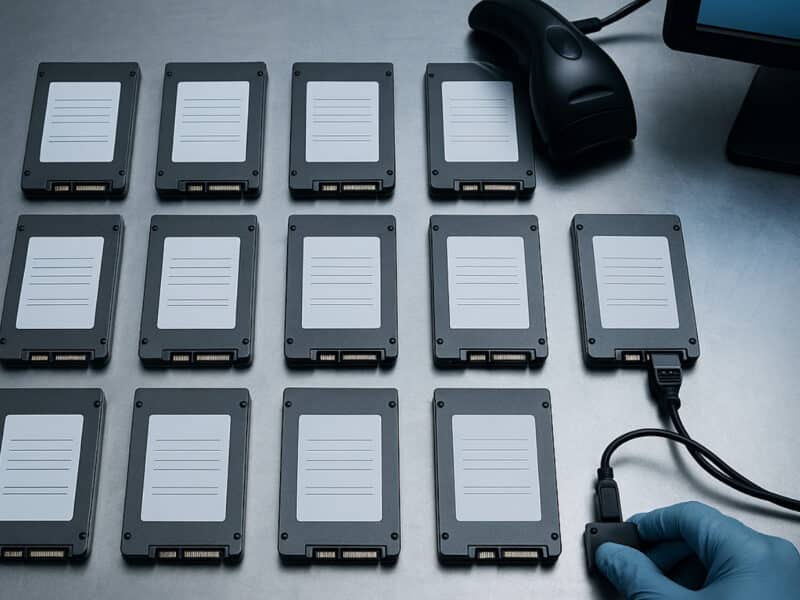
Scan and tag all assets by their serial numbers during removal, loading, delivery, and racking. A pallet-level count won’t show if a drive is missing, but scanning every asset gives the details needed to find any missing item.
The HIPAA Security Rule has an addressable specification to keep a record of hardware and media movements and who is responsible for them. Companies outside healthcare could use the same record as a baseline for their own chain of custody.
Pack and document for reinstallation
When making the data center migration plan, decide if the drives will go inside their server or be transferred separately. Use tamper-evident and shock-resistant packing to protect the equipment, and track them closely.
Take photos of rack layouts before you disconnect anything, and label both ends of every cable for reference when you rebuild the rack.
Check every asset on the final site against the manifest and settle discrepancies the same day as the loading crew would be available.
Plan network capacity early
Outages related to fiber and connectivity have increased and are causing extended disruptions. The links carry replication traffic and user access between applications split across both sites at the time of migration.
Order circuits and cross-connects before the move, as carriers may not meet your data center migration tools and timeline. Normal traffic levels won’t show if the link can handle the initial data migration, and you have to test it under the expected replication load. Lower the DNS TTL values a few days before the cutover and keep a backup connection on another physical route.
Confirm data residency and audit duties
Cross-border transfers of personal data may trigger additional compliance requirements. Under GDPR, transfers outside the European Economic Area are subject to specific safeguards, while customer contracts may impose additional data residency restrictions.
Bring in legal and compliance teams to check notification and approval requirements before setting dates. Notify auditors in advance and keep transfer logs and test results ready for the next audit.
Data Center Consolidation: closing out the old data center

Teams declare migration as finished when the new data center environment is stable, but the old site could have costs until every asset has been accounted for and assigned a final outcome.
Set a retirement date
Until every piece of equipment leaves the building, the fees for power, cooling, support contracts, and leases keep adding to the cost. Set the retirement date after the validation is complete and the agreed rollback hold period has passed, then check the lease end date and required notice period to plan the migration.
If you leave hardware running as a precaution, it could become a liability. If servers or drives holding data aren’t tracked or assigned to an owner, it creates a security risk. If equipment has to stay longer for rollback requirements, then assign someone to manage it and set a final removal date.
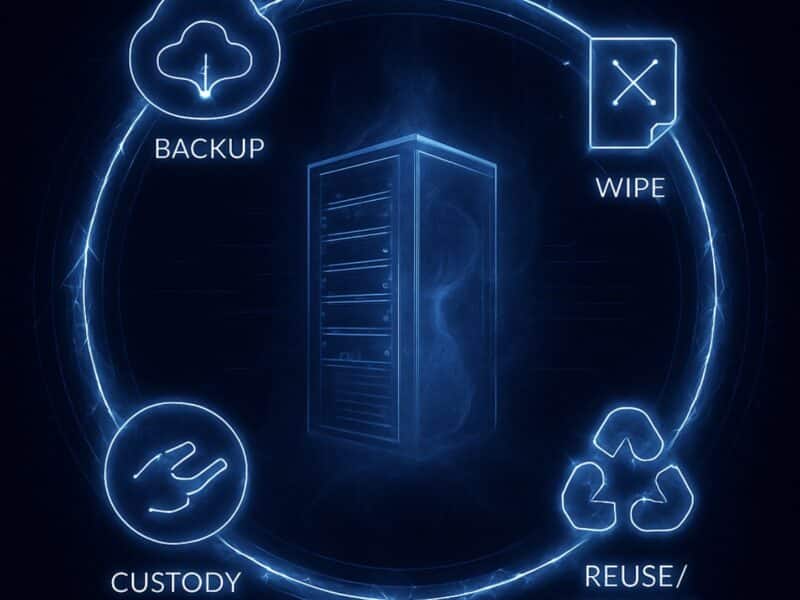
Sanitize data before equipment leaves
NIST SP 800-88 Revision 2, published in September 2025, provides guidance on selecting sanitization methods based on data sensitivity, verifying their effectiveness, and documenting the results.
Some security policies don’t allow data-bearing equipment to leave if erasure isn’t complete. Reconext offers on-site data erasure with a certificate of data erasure as part of its chain-of-custody process.
Redeploy, resell, or recycle after testing
All sanitized equipment has to be tested and graded, and only then is its next use decided, as recovering usable hardware reduces the cost of the migration project.
| Test result | Route | Record to keep |
|---|---|---|
| Passes and remains useful in-house | Redeploy for development or disaster recovery | Test results and the new owner |
| Passes and has resale value | Resell after repair and refurbishment, or strip for parts | Sale or settlement report |
| Fails testing | Send to a recycler certified by an independent standard | Certificate showing where the materials end up |
You could be losing resale value if you send a rack to recycling without testing. So assess equipment that has a secondary market before sending everything to recycling.
Reconcile records
All retired assets have to be matched to the original inventory, and the configuration management database and asset register updated to reflect their status. The finance team needs the disposition records to remove retired assets from the books and account for resale proceeds.
The certificates of data destruction and IT asset disposition reports should be kept in one shared location. If the custody records are also stored with these documents, the auditors and finance team can directly access them without the help of the project team.
Hold a post-migration review
The review should be done when the details are fresh. Plan it within a few weeks of the migration. The team can compare the results against the success measures and baselines that were set when the project started.
Document any differences between the runbook and what happened during the move, and make the findings available for the next migration’s procedures. Input from movers and vendors should also be added immediately after migration so the project team can discuss what happened during handling and scheduling.
How does Reconext help close a data center migration?
Successful migration happens in stages, with each wave scheduled for data erasure and equipment removal as soon as systems pass validations. A phased approach like this limits the time period where the old data center continues to add operating costs.
Reconext manages equipment that will not be moving to the new data center, providing asset inventory, secure data sanitization, and disposition services through on-site and facility-based solutions, depending on customer requirements.
Data-bearing assets are securely erased or destroyed using appropriate methods, supported by documented chain of custody and certificates. Recoverable equipment is evaluated for redeployment, refurbishment, or remarketing, while assets without further recovery potential are directed to responsible recycling.
You can find out more about Reconext’s data center decommissioning services and arrange the first equipment retirement before migration starts.
Frequently asked questions
What is the difference between data center migration and data center relocation?
Data center relocation involves physically moving existing equipment to another facility. Data center migration is a broader process that can include physical relocation, transferring applications and data, or moving workloads to new infrastructure or platforms.
How much does a data center migration cost?
What you end up paying comes down to how many assets you’re moving, how far they have to go, how much downtime the business will put up with, and how long the old and new sites need to run side by side. Put the overlap cost in the budget, and set some money aside to use if things go wrong.
Should a company hire professional data center movers?
Yes, it’s a good move to hire professional movers for large migrations with a fixed move window, as they have the equipment and insurance needed to transport servers and other hardware safely. But internal IT staff should handle application testing and approve the work after the move.
Which certifications should a data center ITAD provider hold?
Check for R2 or e-Stewards certification for IT asset recycling and ISO 27001 for information security. Ask them for evidence that they follow NIST SP 800-88, and see their current certificates before signing a contract.